
What if your users never had to upload sensitive documents to your servers at all?
In 2026, privacy expectations are no longer a nice-to-have, they are a baseline. Developers are under increasing pressure to build privacy-first web apps that minimize data exposure, simplify compliance, and earn user trust by design. Nowhere is this more critical than in document workflows.
Traditional upload-to-server tools create unnecessary risk. Every file upload introduces attack surfaces, storage liabilities, and regulatory complexity. Modern browsers, however, are powerful enough to handle some complex workloads locally. By embracing client-side PDF processing and browser-based document editing, teams can deliver fast, secure experiences without touching user data.
In this guide, you will learn why client-side architectures matter, how WebAssembly PDF tools make them possible, and how this approach simplifies building GDPR compliant document tools. We will also walk through how this philosophy is implemented in production at EveryTask.
The Hidden Risks of Server-Side Document Processing
Before discussing solutions, it is important to understand why the default approach is broken.
Why Upload-to-Server Tools Are a Privacy Liability
Most document editors still rely on server-side pipelines. Users upload files, servers process them, and results are sent back. This model creates multiple points of failure. Files are transmitted over networks, temporarily stored, logged, backed up, and sometimes retained longer than intended.
From a compliance standpoint, this expands your responsibility footprint. The moment you store documents, you become a data processor under GDPR. According to EU enforcement data, over 35 percent of GDPR fines in 2024 involved improper data handling or retention. For developers, that is an avoidable risk.
Infrastructure and Cost Implications
Beyond privacy, server-side document processing is expensive. You pay for storage, compute, scaling, and security hardening. Burst traffic from large PDFs or batch operations can quickly spike infrastructure costs.
Client-side PDF processing flips this model. The browser does the work, your servers stay lean, and your architecture becomes simpler. This is one of the most effective ways to build privacy-first web apps while controlling costs.
Trust as a Product Feature
Users increasingly ask where their data goes. When you can confidently say documents never leave their device, trust improves immediately. That trust translates into higher adoption and lower churn, especially in regulated industries.
How Client-Side PDF Processing Works in Practice
Modern browsers are no longer thin clients. They are full execution environments capable of handling complex document workflows.
PDF.js and pdf-lib as the Foundation
Most browser-based document editing stacks rely on two open-source pillars: Mozilla PDF.js for rendering and pdf-lib for manipulation. PDF.js parses and renders PDFs directly in the browser, while pdf-lib handles tasks like annotations, form filling, and merging.
This combination eliminates the need for server round trips. All operations happen locally, giving users instant feedback and reducing latency.
The Role of WebAssembly PDF Tools
Some tasks, like text extraction or complex layout processing, benefit from native performance. This is where WebAssembly PDF tools shine. By compiling performant libraries to WebAssembly, developers can run near-native code inside the browser sandbox.
In 2026, WebAssembly adoption has crossed 60 percent among advanced web applications, making it a safe and future-proof choice. The key best practice is progressive enhancement. Use JavaScript for baseline functionality and WebAssembly for heavy lifting when available.
Practical Implementation Tips
When building client-side pipelines:
- Stream files instead of loading entire documents into memory
- Use web workers to keep the UI responsive
- Clearly communicate local-only processing to users
These patterns improve performance and reinforce your privacy stance.
Privacy and Compliance Benefits by Design
Client-side architectures align naturally with regulatory principles.
GDPR Compliance Without the Headaches
Under GDPR, minimizing data collection and processing is a core principle. GDPR compliant document tools built with client-side processing often avoid being classified as data processors entirely.
If documents never reach your servers:
- No document storage policies are required
- No deletion workflows are needed
- Breach impact is dramatically reduced
This does not eliminate all compliance responsibilities, but it simplifies them significantly.
Security Advantages of Local Processing
Local processing reduces the attack surface. There is no document database to breach and no internal access controls to misconfigure. Browser sandboxes and origin isolation add an extra layer of protection by default.
From a threat modeling perspective, this is a massive win. Your application handles UI and orchestration, not sensitive content.
Transparency as a Competitive Advantage
Clear privacy messaging matters. Developers who document their client-side approach and publish technical explanations build credibility. This is especially effective on platforms like Dev.to and HackerNoon, where readers value architectural transparency.
Real-World Implementation at EveryTask
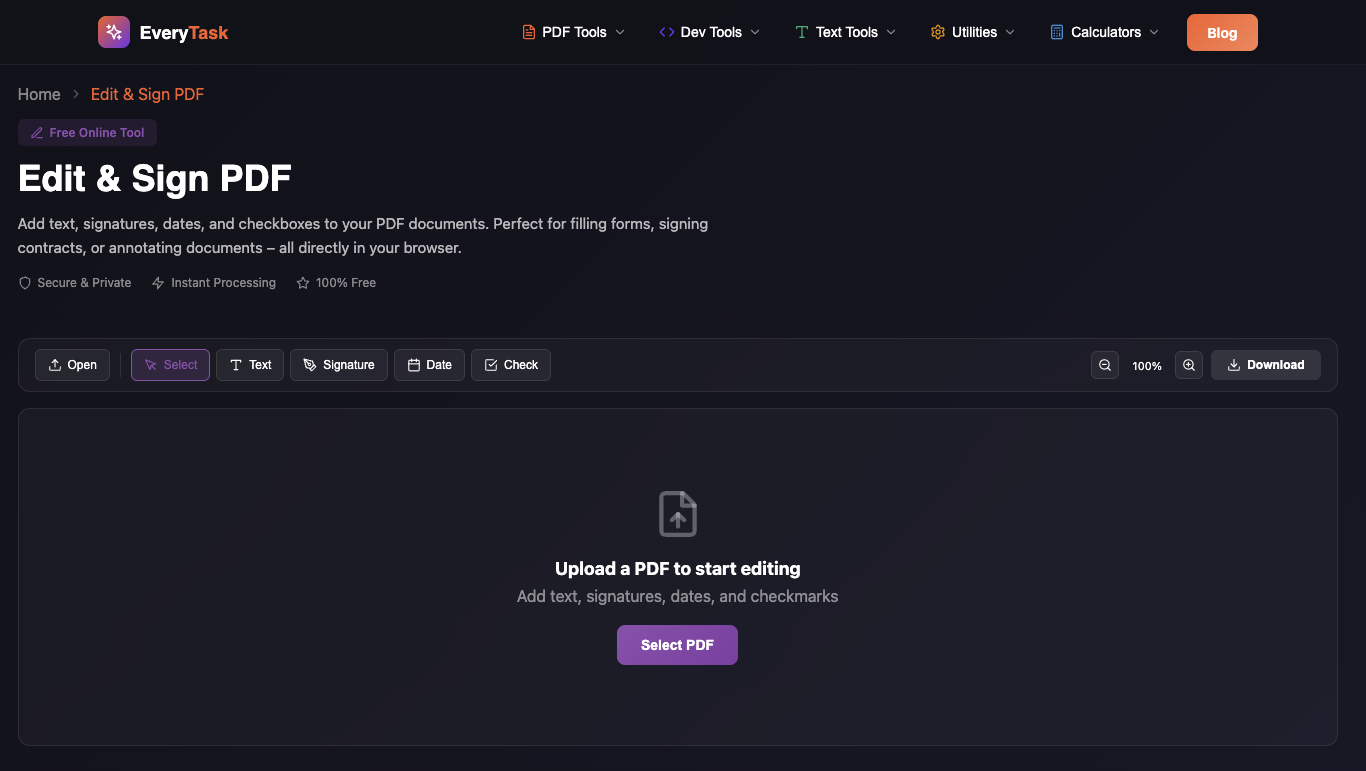
We built EveryTask with this philosophy, your documents never leave your browser.
At EveryTask, client-side processing is not a marketing claim, it is an architectural constraint.
How the Stack Is Designed
EveryTask uses browser-based document editing powered by PDF.js and pdf-lib, with selective WebAssembly acceleration. PDFs are loaded, edited, and exported entirely on the client. Servers handle authentication and task metadata only.
This approach allows EveryTask to offer a free PDF editor without storing user documents. You can explore the tool directly at EveryTask.
Key differentiators
- Zero document uploads
- No server-side PDF storage
- Faster edits with local execution
- Easier compliance across regions
For developers interested in similar patterns, the EveryTask blog breaks down productivity-focused architectures in more detail.
Client-Side vs Server-Side Document Processing
| Criteria | Client-Side Processing | Server-Side Processing |
| Privacy Risk | Minimal | High |
| GDPR Scope | Often reduced | Full processor obligations |
| Performance | Instant feedback | Network dependent |
| Infrastructure Cost | Low | Medium to high |
This comparison highlights why client-side PDF processing is becoming the default choice for privacy-conscious teams in 2026.
Privacy-first design is no longer optional. By embracing client-side PDF processing, browser-based document editing, and WebAssembly PDF tools, you reduce risk, improve performance, and simplify compliance.
Want to see this approach in action? Explore EveryTask and experience a privacy-first document workflow where your files stay exactly where they belong, in your browser.